
Common mistakes after hitting publish
The article is finally done and ready to go be a part of the world to be met by the eyes of hungry readers. You’ve crossed your t’s and dotted your i’s and are plugging on Facebook and sharing away… These are the most commonly committed sins against publishing and other little mistakes you’ll realize after the fact and how to fix them.
**Pro tip: Always preview an article before posting it to catch most of these.**
The feature image isn’t showing up right on Facebook.
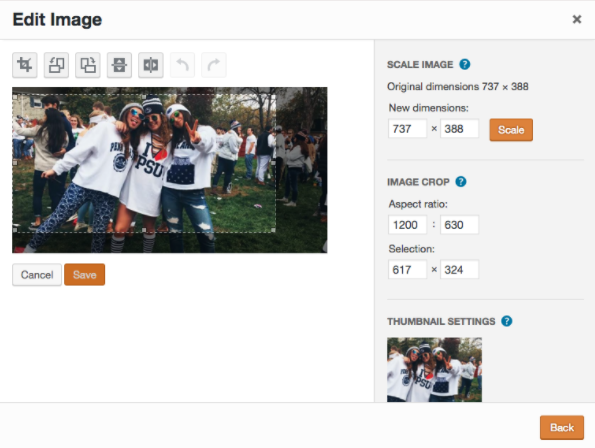
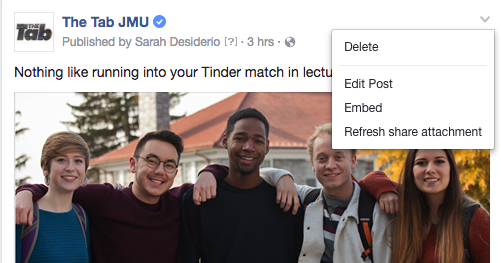
Make sure that it’s set to 1200 x 630. If it’s still not pulling properly you may need to refresh the link by clicking on the time of the post and then using the arrow in the right corner and choosing “Refresh share attachment.”
The link hasn’t been debugged.
If the article is pulling weird, make sure you’ve debugged it by running it through Facebook’s debugger.
The spacing is messed up and/or certain fonts look weird.
Before editing it’s worth selecting all and hitting “Clear Formatting” to remove any unwanted coding that occurs when a writer copy and pastes their story from another text editor. You can also go in and check text mode, to check for coding that may be causing other issues.
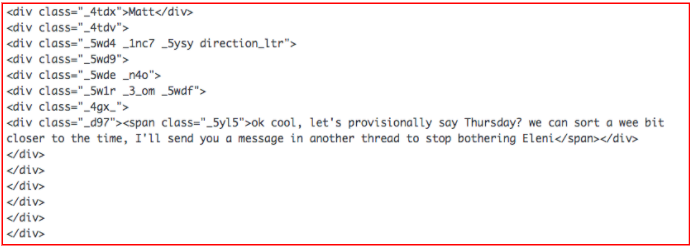
Always check text mode and remove any div tags or span tags (which often throw off the spacing, especially around pictures). You can use Ctrl + F to find “div” and “span” throughout the article and delete all the instances. Delete everything within the < >
The pictures are blurry or the wrong orientation in the article.
Make sure the images are all large enough (should be 640 pixels wide in post without being blurry) and that they are flipped to the right orientation.
The hyperlink is too long/misspelled/wrong.
Make sure that any spelling mistakes or incorrect titles were also corrected in the hyperlink as they will pull from the headline in WordPress.
Double quotes or full stops in headlines and excerpts
“Get ’em out, get ’em out” *to the tune of Bring Em Out by T.I.*
Other things to always watch out for:
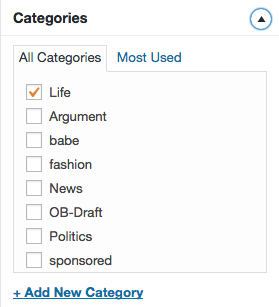
Tag articles for the proper category.
Always proofread your plug on Facebook.
Edit links within articles to open in a new page.
Make sure you checked for any legal or copyright issues.
Always triple check headline and excerpt spelling.